Gutenfig
Designing a bridge between Figma and WordPress.
I created a Figma component library and custom plugin that turns approved page designs into production-ready Gutenberg structures.

[01]
The gap between planning and production
A strong document is not automatically a strong web page. Staff often arrived with complete content, but it still needed a clear hierarchy, meaningful sections, and useful calls to action.
When too much of that thinking happened in WordPress, the editor became a design tool, development environment, and review space at the same time. Exploring another layout meant moving blocks, rewriting markup, checking the front end, and repeating the process.
Even after a design was approved in Figma, I still had to reconstruct it in Gutenberg. Design decisions and production structures lived in separate places. They needed a shared structural language.
[02]
Turning components into a working system
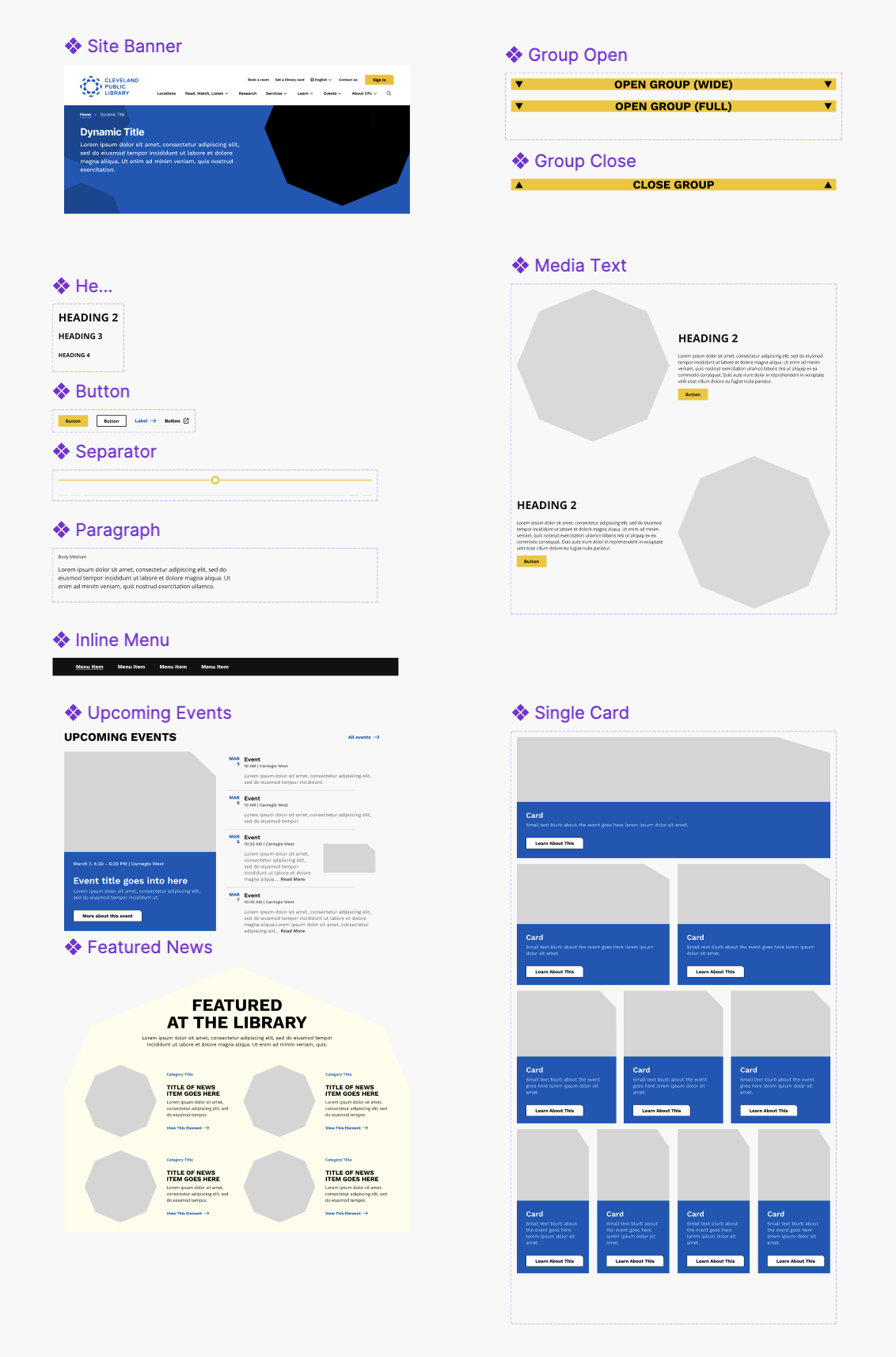
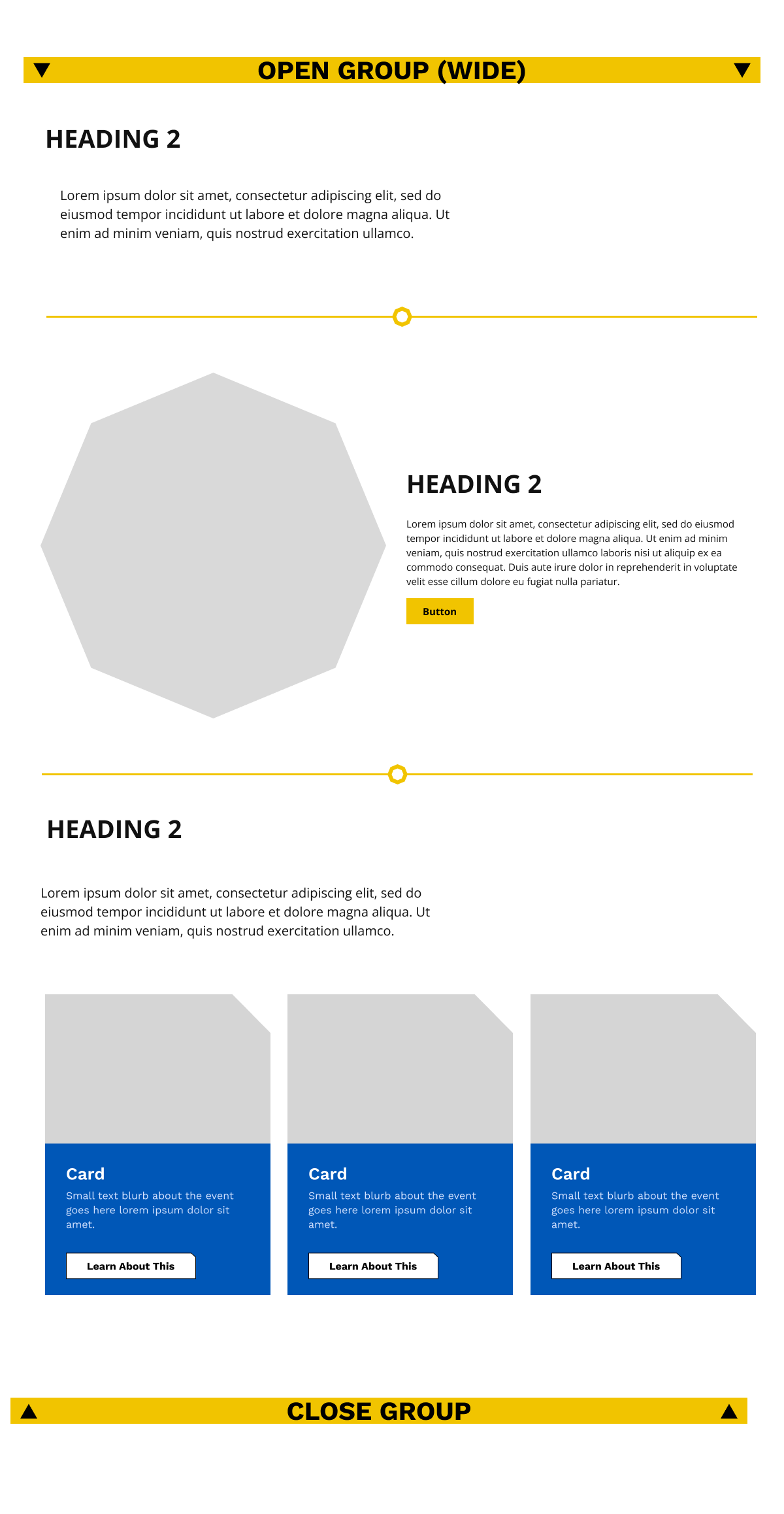
I realized our Figma components could represent more than visual approximations. A heading component could correspond to a Gutenberg heading block. A call to action could contain the structure used in production. Larger components could represent recurring page patterns already established across CPL.org.
I began with headings, paragraphs, calls to action, separators, media sections, and larger content layouts. Each used reusable components, auto-layout, consistent naming, configurable content, and structures grounded in real Gutenberg output.
The goal was not to reproduce every WordPress block. It was to capture the recurring patterns that consumed the most time and turn them into a maintainable design system.
[03]
Building the bridge
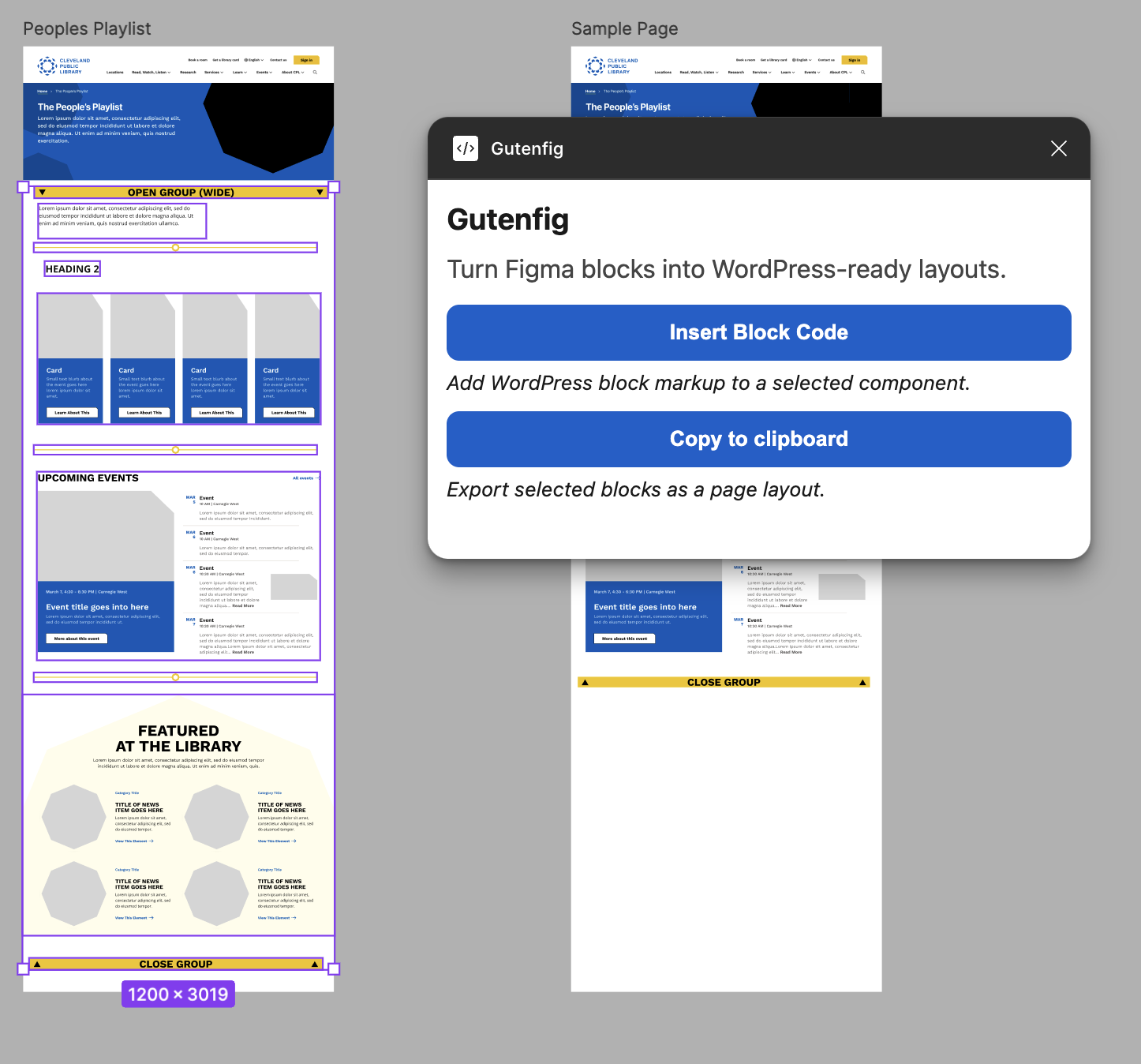
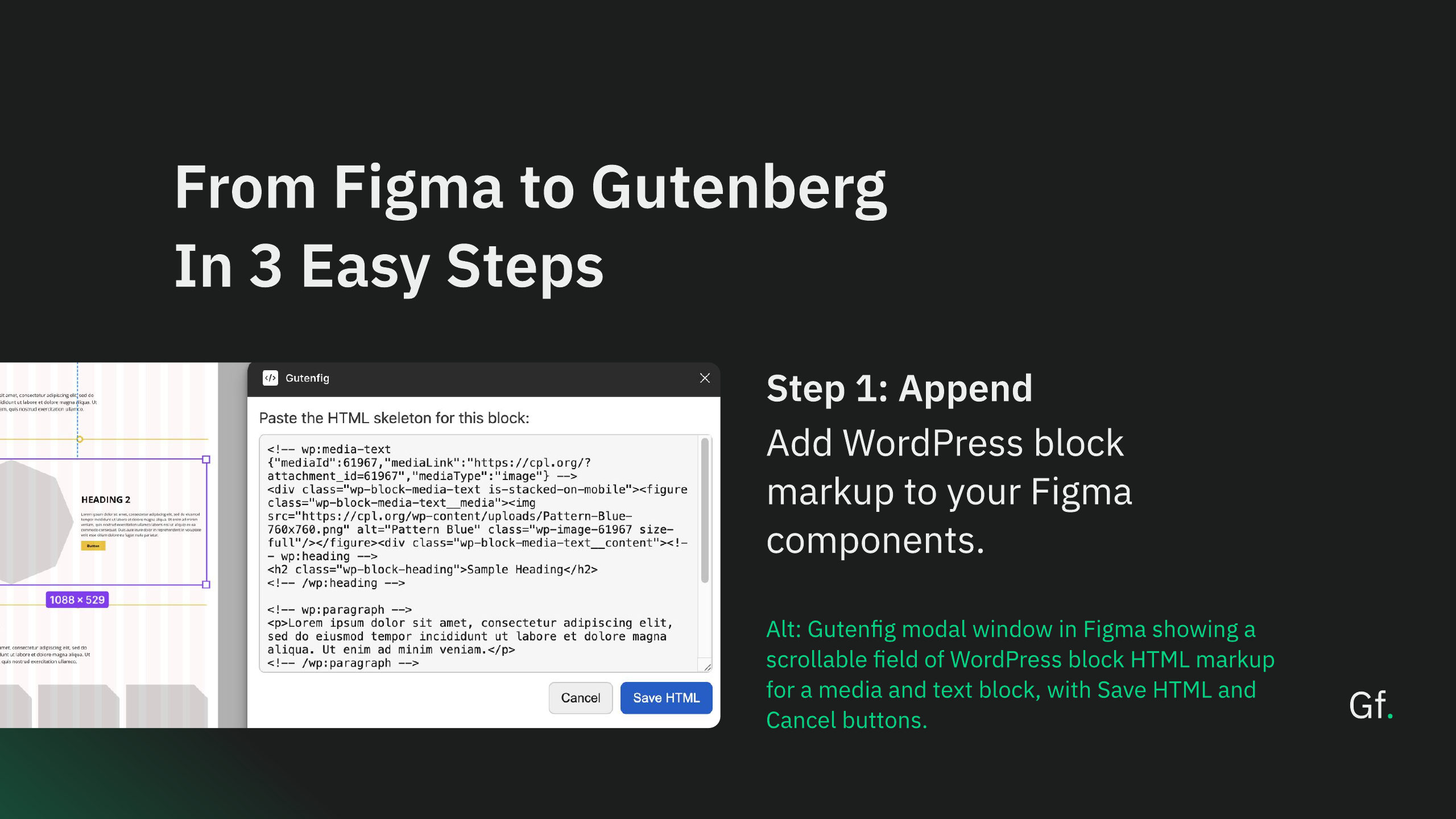
Once the library was established, I designed a Figma plugin that associates each component with its corresponding Gutenberg markup. Gutenfig reads the stored block code, orders selected components by their position on the canvas, and combines them into a complete page structure.
The workflow is intentionally simple:
- Assemble the page with Gutenfig components.
- Select the completed page.
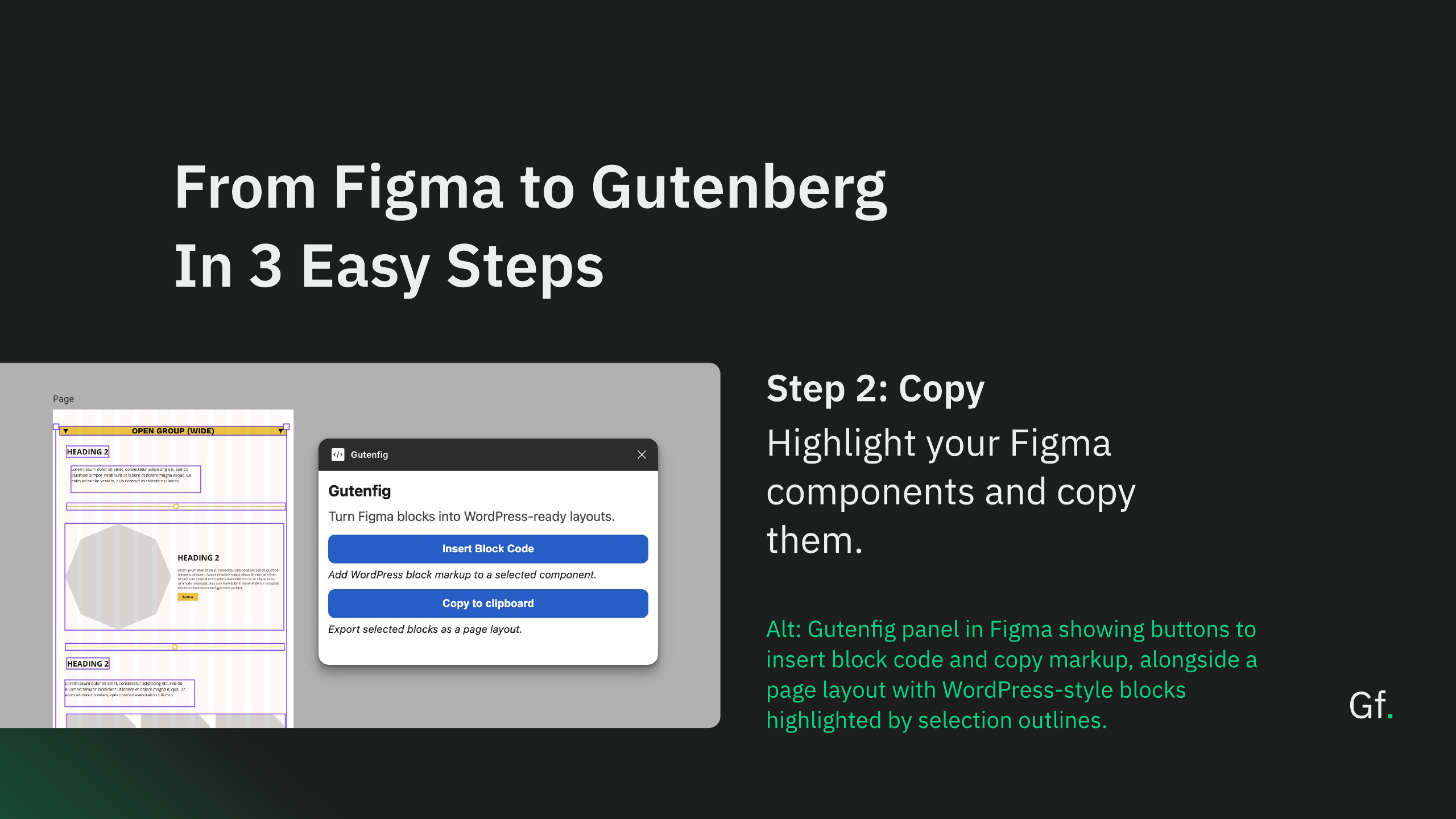
- Open the Gutenfig plugin and choose Copy to clipboard.
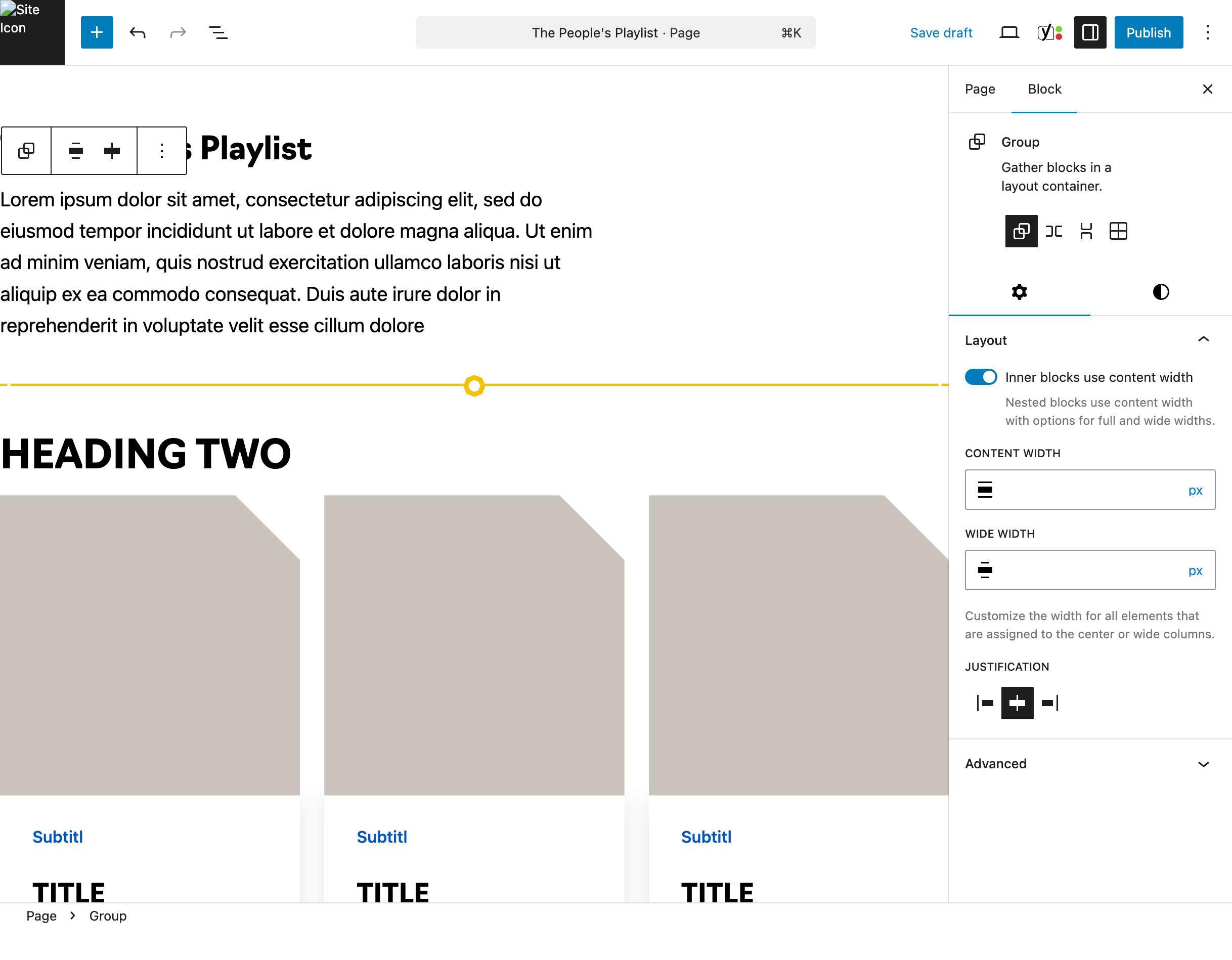
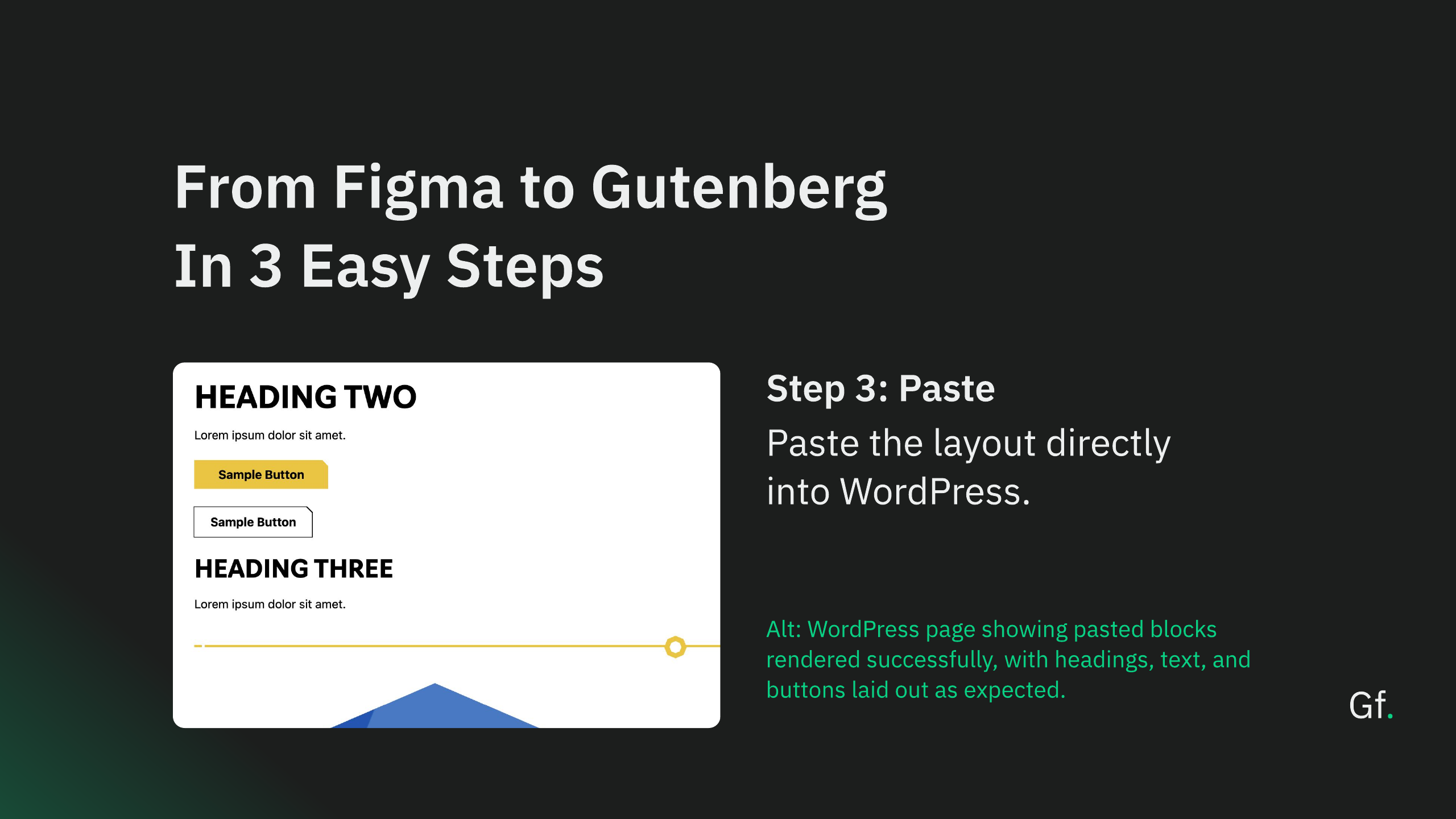
- Paste once into the first field of a blank Gutenberg page.
- Continue with the native, editable blocks and established layout.
- Complete or revise the copy, review the page, and publish from WordPress.
Make the components. Build the page. Copy. Paste.
Gutenfig does not synchronize Figma and WordPress or publish directly to the website. It creates a deliberate bridge while keeping the final publishing decision inside WordPress.
The development was code-assisted. I researched Figma’s plugin documentation, defined the workflow, designed the interface and behavior, tested the output, and iterated until it reliably solved the production problem.
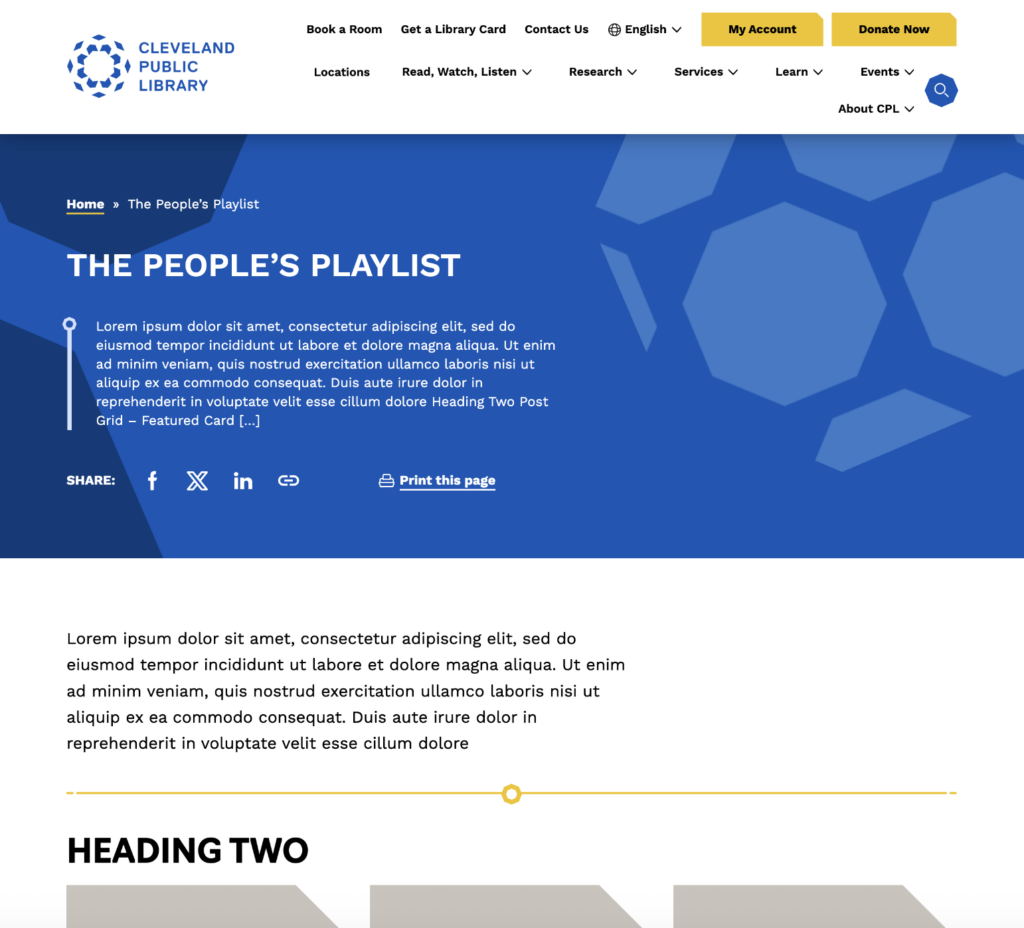
Three views document the handoff from collaborative Figma planning to native WordPress blocks and a reviewed WordPress result.
[04]
Planning pages before building them
Gutenfig makes page planning feel more like thumbnailing. I can compare content hierarchies, section arrangements, calls to action, and visual pacing before committing to a structure in WordPress. Collaborators can respond to realistic page patterns while they are still easy to rearrange.
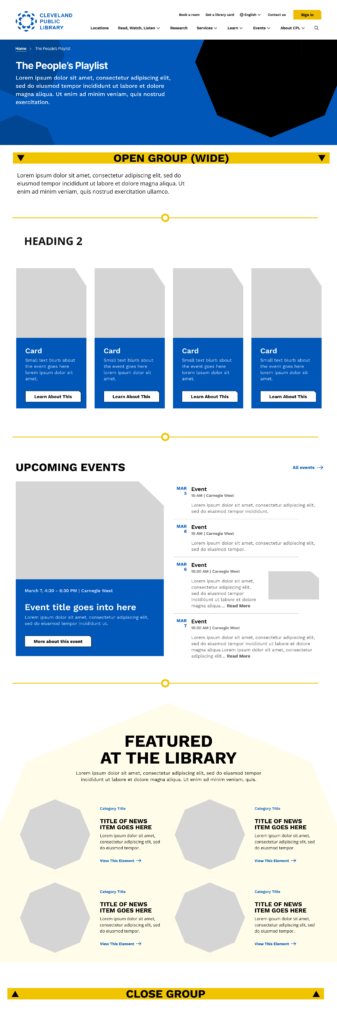
The People’s Playlist Figma page was a real client-facing planning demonstration assembled with Gutenfig components. The client and I used the page and a demonstration video to discuss content structure and possible layouts.
The project later expanded into a much larger citywide local-music platform. The final product remained The People’s Playlist and was implemented through the third-party MusicCat application. Gutenfig did not build, export, import, or publish that final product; the Figma artifact documents early collaborative planning and rapid layout exploration, not the shipped interface.
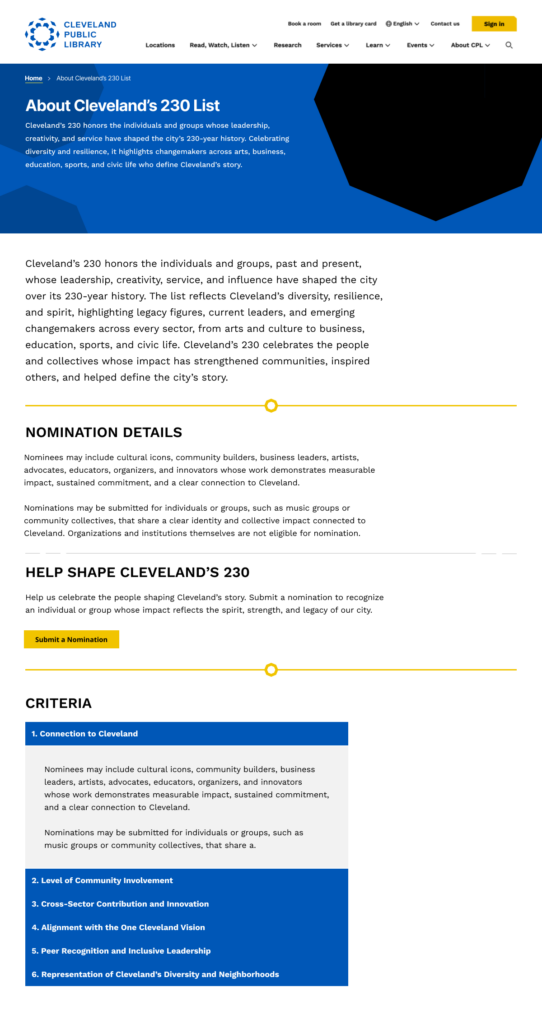
A Cleveland 230 starter-page exploration also applied the Gutenfig system during early planning. Cleveland 230 became the library’s primary campaign project for the year and evolved into the broader One Cleveland campaign, with work distributed across many contributors and responsibilities. The Figma artifact is evidence of an early application of Gutenfig, not proof that Gutenfig exported or published the campaign.
Because the system begins with established patterns, it creates a more consistent foundation for semantic structure, responsive behavior, spacing, hierarchy, and calls to action. It does not replace accessibility review, but it reduces the decisions that must be reinvented on every page.
[05]
Results and real-world use
Gutenfig changed page production from an open-ended building exercise into a more deliberate design process.
- Faster exploration: I can compare page structures without repeatedly rebuilding them in WordPress.
- Earlier decisions: Hierarchy and pattern selection can be resolved before implementation.
- Fewer revision cycles: Collaborators can respond while the page is still easy to change.
- Structural continuity: The Gutenberg structure reflects the approved Figma page.
- Reusable knowledge: Common production patterns live in a maintained system rather than in memory or unrelated pages.
After these early applications, changing project responsibilities and team priorities reduced Gutenfig’s immediate use. Broader use and development may resume later.
Gutenfig also became the subject of my Code4Lib 2026 presentation. A venue change placed the talk in the main hall before the full conference audience. The live demonstration received an enthusiastic response, especially from attendees interested in connecting Figma components to usable Gutenberg output.
That response confirmed that the method could be understood and adapted by other small web teams, libraries, and content-heavy organizations.
Selected slides from the Gutenfig presentation introduce the project, then explain the append, copy, and paste workflow.
[06]
What I learned
Gutenfig began without a complete plan. I committed to building a Figma library, noticed a deeper relationship between design and production patterns, and followed that observation into a functioning tool.
The project reinforced my ability to carry an idea through its full arc. I defined the system, designed the interface, worked through technical constraints, tested it on real pages, published work with it, and presented the method to a national conference.
Next, I would expand the library, strengthen documentation and testing, add useful variants, and make handoff easier for other designers and editors. The system will continue to grow from repeated production needs instead of trying to anticipate every possible WordPress block.
The lasting lesson is not simply that I can build a Figma plugin. It is that I can recognize an opportunity inside an ordinary workflow, develop it into a coherent system, and carry it into practical use.